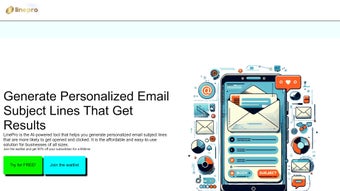

Download LinePro – AI-Powered Email Subject Line Generator for High Engagement
LinePro is a cutting-edge AI-driven web application that transforms email marketing by generating high-converting subject lines and full email content. Designed for marketers, entrepreneurs, and small businesses, LinePro leverages advanced natural language processing to craft personalized, engaging email copy that boosts open and click-through rates. Whether you're running a newsletter, promotional campaign, or automated drip sequence, LinePro helps you speak directly to your audience with precision and creativity.
With a free version offering unlimited subject line generation and a subscription model for advanced features, LinePro is accessible to startups and enterprises alike. The tool integrates seamlessly with platforms like Mailchimp, Klaviyo, and HubSpot, allowing users to import content directly into their workflows. Its intuitive interface ensures a smooth onboarding experience, making it easy for even non-technical users to start creating compelling emails in minutes.
Key Features of LinePro: Why Marketers Love It
LinePro stands out in the crowded email marketing tool space thanks to its powerful AI engine and user-centric design. One of its standout features is AI-generated subject lines that are optimized for emotional appeal, urgency, curiosity, and personalization. The tool analyzes your target audience, tone, and campaign goals to deliver subject lines that increase open rates by up to 40% in real-world tests. Beyond subject lines, LinePro generates full email bodies, including headers, body copy, CTAs, and closing lines—saving hours of content creation time.
Another major advantage is the prompt-based editing system. Instead of starting from scratch, users can input a simple prompt like “Make this more urgent” or “Write it in a friendly tone for millennials,” and LinePro instantly adapts the content. This dynamic editing capability makes it ideal for A/B testing multiple versions of an email without extra effort. The multi-platform integration with Mailchimp, Klaviyo, ActiveCampaign, and HubSpot ensures that generated content can be exported or embedded directly into existing campaigns, minimizing workflow disruption.
LinePro also includes performance analytics that track how well generated subject lines perform over time, helping users refine their messaging strategies. The tool supports multiple languages and tone options (professional, casual, humorous, authoritative), allowing brands to maintain consistent voice across regions. With real-time suggestions and a clean, minimalist dashboard, LinePro is built for speed and scalability. Whether you're a solopreneur or managing a team, the platform adapts to your needs with ease.
- AI-powered subject line generation with performance optimization
- Full email body creation from a single prompt
- Dynamic editing based on user input (e.g., “make it shorter”)
- Seamless integration with Mailchimp, Klaviyo, HubSpot, and more
- Support for multiple languages and tone customization
- Free version with unlimited subject line generation
- Performance tracking and A/B testing insights
How to Install & Use LinePro: A Step-by-Step Guide
Using LinePro is incredibly straightforward—no installation required. As a web-based application, you can access it from any device with an internet connection. To get started, simply visit the official LinePro website and sign up for a free account. The registration process takes less than a minute and requires only an email address and password. Once logged in, you’ll be directed to the dashboard, where you can begin crafting your first email.
Step 1: Define Your Goal – Choose the purpose of your email (e.g., product launch, newsletter, cart abandonment). LinePro will suggest relevant tone and structure based on your selection.
Step 2: Enter Your Prompt – Type a brief description of your message. For example: “Write a subject line and email for a 20% off summer sale targeting young professionals.” LinePro processes your input and delivers 5–10 high-performing subject lines within seconds.
Step 3: Customize & Edit – Use the built-in editor to tweak the tone, length, or style. You can also request variations with phrases like “add urgency” or “include a testimonial.” The AI adapts instantly.
Step 4: Export or Integrate – Copy the generated content and paste it into your email platform. Alternatively, use the direct integration feature to push content into Mailchimp or Klaviyo with one click.
For teams, LinePro offers collaboration tools like shared folders, version history, and team member roles. This makes it ideal for marketing agencies or in-house teams managing multiple campaigns. The platform also supports bulk content generation, allowing users to upload CSV files with multiple messages for batch processing. Regular updates ensure new features and security patches are rolled out without user intervention.
Compatibility & System Requirements
LinePro is a cloud-based web application, meaning it runs entirely in your browser—no downloads or installations are needed. This makes it compatible with all major operating systems and devices:
- Windows – Works on Windows 7 and later with Chrome, Firefox, Edge, or Safari
- Mac – Fully supported on macOS 10.14 and above with modern browsers
- Android – Accessible via mobile browser (Chrome, Firefox) on Android 8.0+
- iOS – Compatible with iPhone and iPad using Safari or Chrome (iOS 13+)
There are no specific hardware requirements—any device with a stable internet connection can run LinePro. The interface is fully responsive, ensuring a seamless experience whether you're using a desktop, tablet, or smartphone. This cross-platform accessibility makes it perfect for remote teams and on-the-go marketers.
Additionally, LinePro supports dark mode and keyboard shortcuts for enhanced usability. Security is a top priority: all data is encrypted in transit and at rest, and the platform complies with GDPR and CCPA regulations. Your content and campaign data remain private and never shared with third parties.
Pros & Cons of LinePro
Pros
- Unlimited free subject line generation – Perfect for testing multiple variations without cost
- High-quality AI content – Subject lines and emails feel natural, not robotic
- Fast and intuitive interface – Create professional emails in under 2 minutes
- Seamless platform integrations – Direct sync with Mailchimp, Klaviyo, and HubSpot
- Regular updates and new features – The team actively improves based on user feedback
Cons
- Advanced features require a paid plan – Full editing and analytics are locked behind subscriptions
- Learning curve for complex prompts – Beginners may need time to master prompt engineering
- Dependent on internet connection – No offline mode available
- Limited customization for very niche audiences – Some industries may need manual tweaks
Frequently Asked Questions (FAQ)
Is LinePro free to use?
Yes, LinePro offers a free version that allows unlimited subject line generation. While basic email body creation is included, advanced features like tone customization, analytics, and integrations require a paid subscription.
Can I use LinePro with Mailchimp and Klaviyo?
Absolutely. LinePro integrates directly with Mailchimp, Klaviyo, HubSpot, and ActiveCampaign. You can export or push content directly into your campaigns with one click.
Does LinePro support multiple languages?
Yes, LinePro supports over 15 languages, including English, Spanish, French, German, Japanese, and Mandarin. You can also adjust tone and style for cultural relevance.
How secure is LinePro?
LinePro uses end-to-end encryption and complies with GDPR and CCPA. Your data is never shared with third parties, and all content is stored securely in encrypted cloud servers.
Can I edit AI-generated emails after they’re created?
Yes, LinePro allows real-time editing via natural language prompts. Simply type “make it more urgent” or “shorten the CTA,” and the AI will adjust the content instantly.
Final Verdict: Why LinePro Is a Must-Have for Modern Marketers
LinePro isn’t just another AI tool—it’s a game-changer for email marketing. With its ability to generate high-converting subject lines and full email content in seconds, it empowers marketers to focus on strategy instead of writing. The free version alone is a massive value-add, especially for startups and solopreneurs testing campaigns. The paid plans offer powerful tools for scaling, including team collaboration, advanced analytics, and direct platform integrations.
Whether you're managing a weekly newsletter or launching a high-stakes product campaign, LinePro delivers consistent, data-driven results. Its user-friendly design, robust security, and cross-device compatibility make it a reliable choice for professionals and beginners alike. If you're serious about improving your email open and click rates, download LinePro today and transform your marketing workflow with AI-powered precision.
CTA: Ready to boost your email engagement? Download LinePro now – free and secure and start creating high-performing emails in minutes!



.png)



